 Download Android ↗
FREE WORKSPACE CONTROLS
Pair your laptop.
Scan the CLI’s QR code and open the project you’re already working on. No migration to a new editor or cloud workspace.
See the setup ↗YOUR LAPTOP. NOW WITH YOU.
HelixBox connects your phone to the development environment on your laptop. Your files, terminal, Git, previews, and coding agents, all in one mobile app.
WORK FROM WHERE YOU ARE
Your laptop keeps doing the work. You don’t have to sit next to it.
Scan the CLI’s QR code and open the project you’re already working on. No migration to a new editor or cloud workspace.
See the setup ↗Pay once for a defined access period. Ask questions, run tests, and review patches throughout your active agent session.
See session pricing ↗FROM DESK TO POCKET
Open a terminal inside your project and run:
npx helixbox-cliOpen HelixBox on Android and scan the QR shown by the CLI. Your phone connects to that laptop workspace.
Browse files, check logs, or start an agent session. Return through Past Sessions when your saved connection is still valid.
Keep your laptop running and connected to the internet. Install and sign in to the coding agents you want to use on that laptop.
THE TOOLS YOU ALREADY USE
A mobile workspace connected to your real development environment.
 Codex
Codex OpenCode
 Claude Code
 Hermes
Available when their CLIs are installed and ready on your paired laptop.
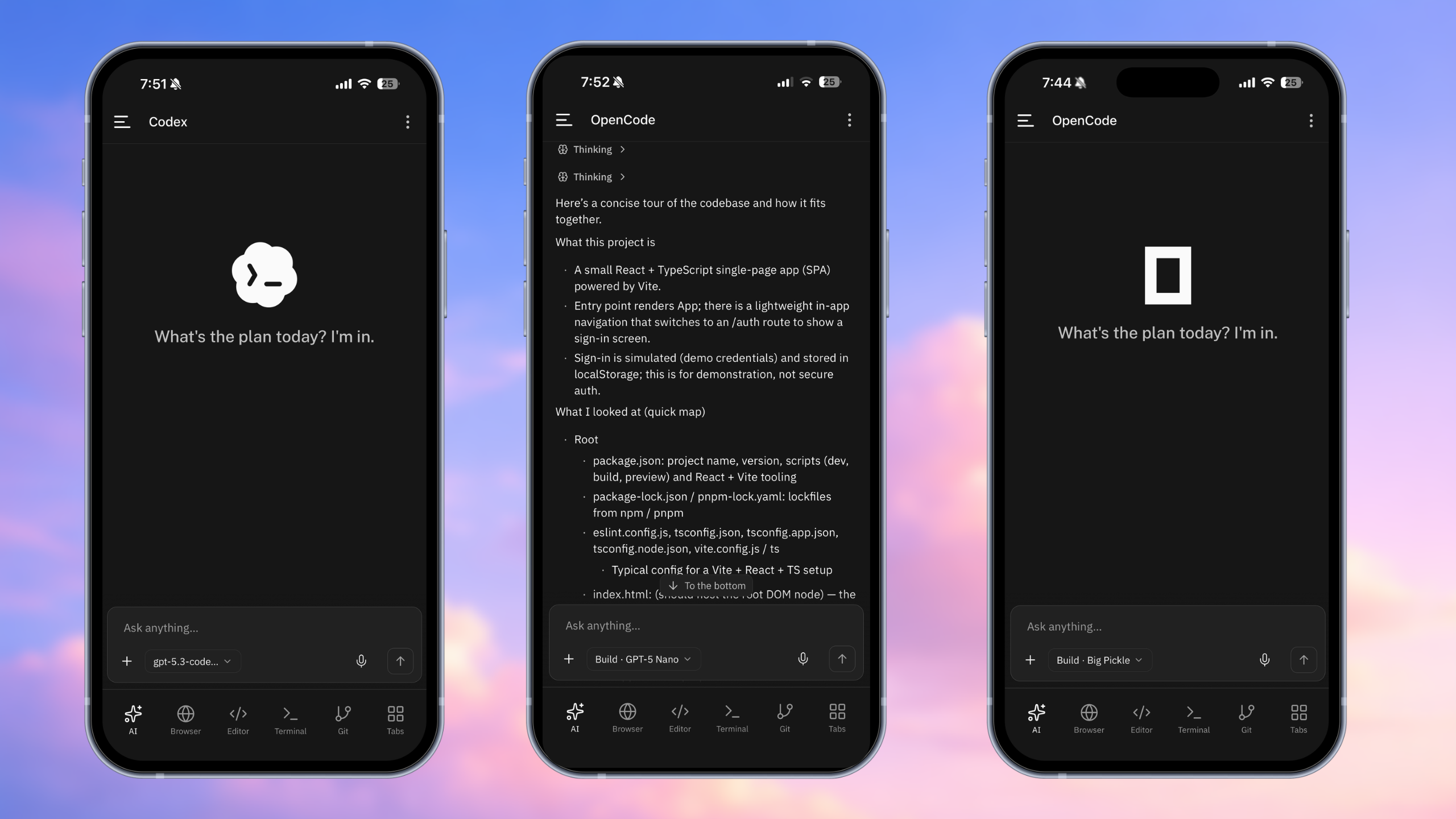
01 / AGENTS
Read a codebase, diagnose a bug, run tests, and review the patch. Keep the conversation going from your phone, including voice input.
02 / BROWSER
Start your development server on the laptop and open its preview on your phone. Check the result without leaving the workspace.
Your local preview, wherever you are.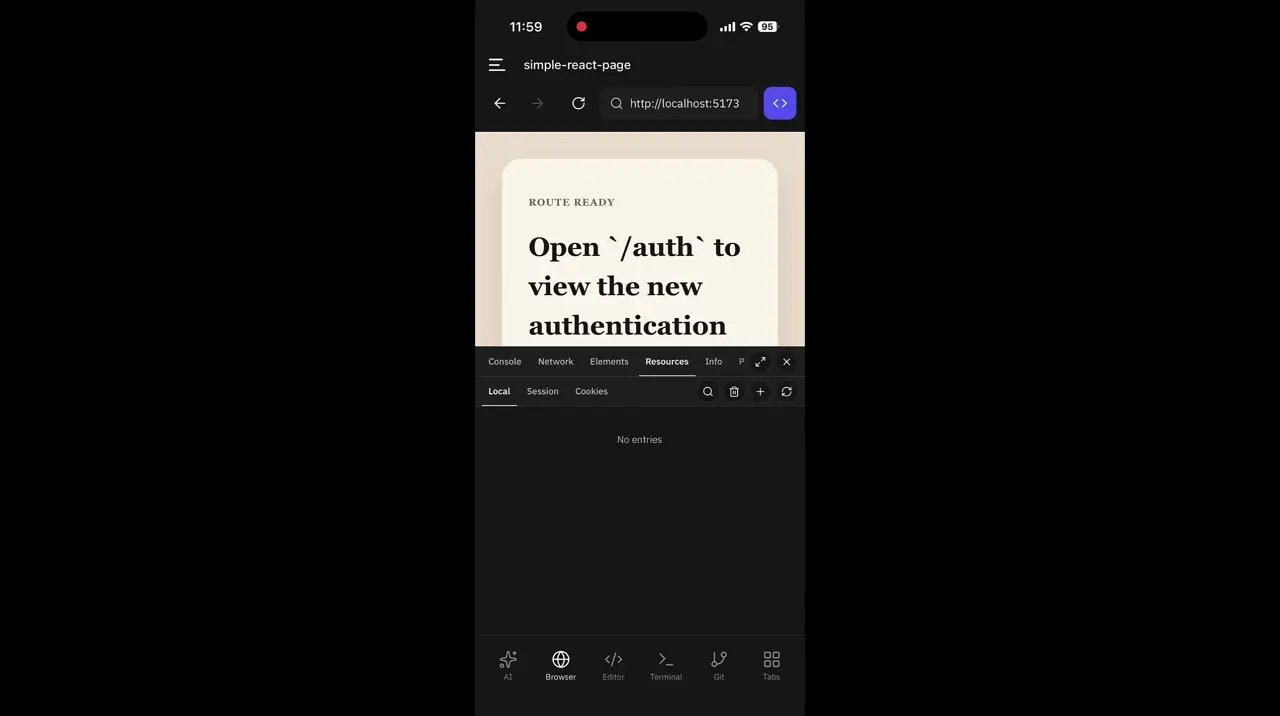
03 / EDITOR
Open the file explorer, find the file, and make the change. Your edits stay in the project you already have on your laptop.
Same files. Same project.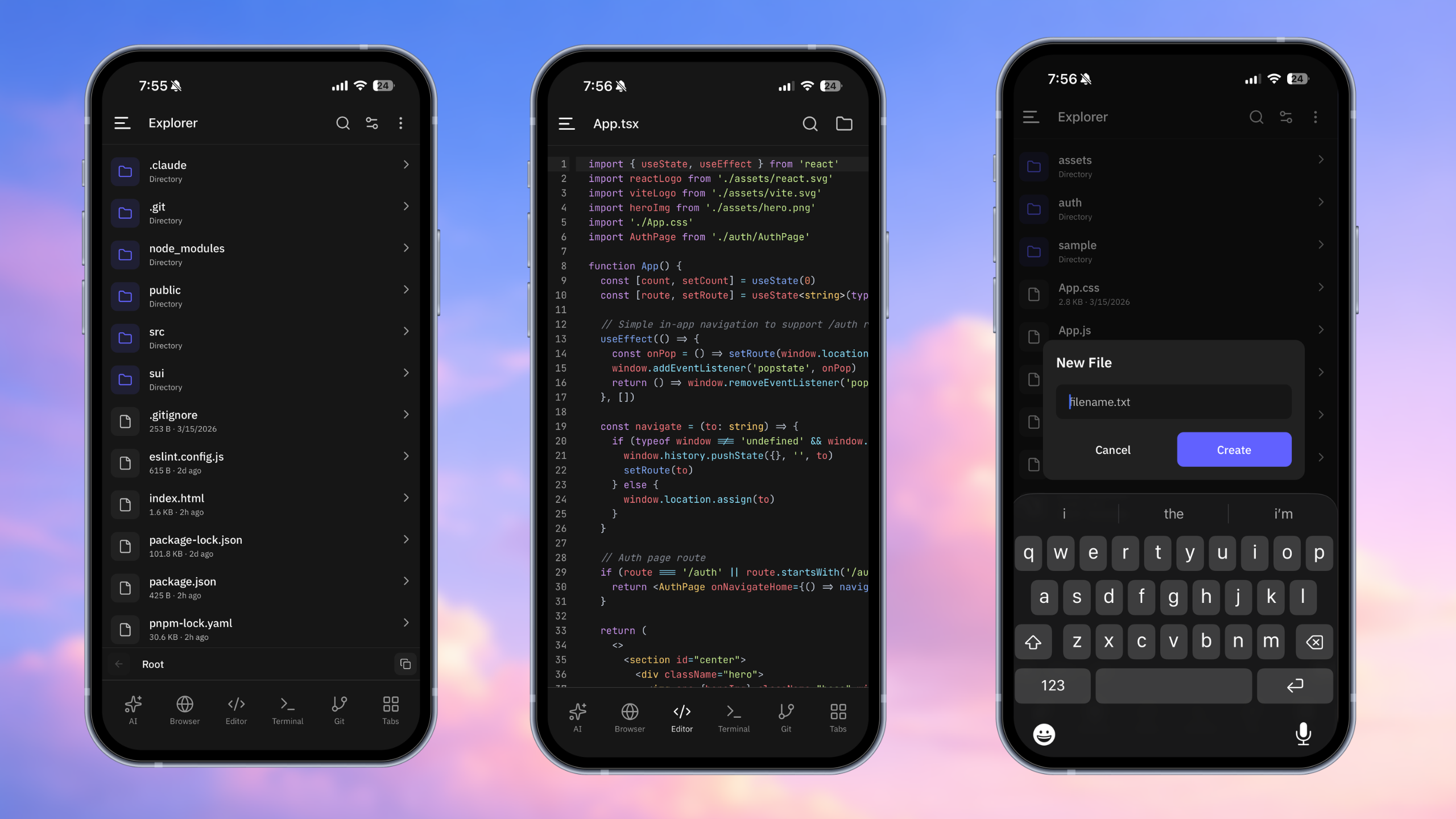
04 / TERMINAL
Run commands, follow logs, install dependencies, and check a build. The commands execute in your paired laptop’s environment.
Your dependencies and tools stay on your machine.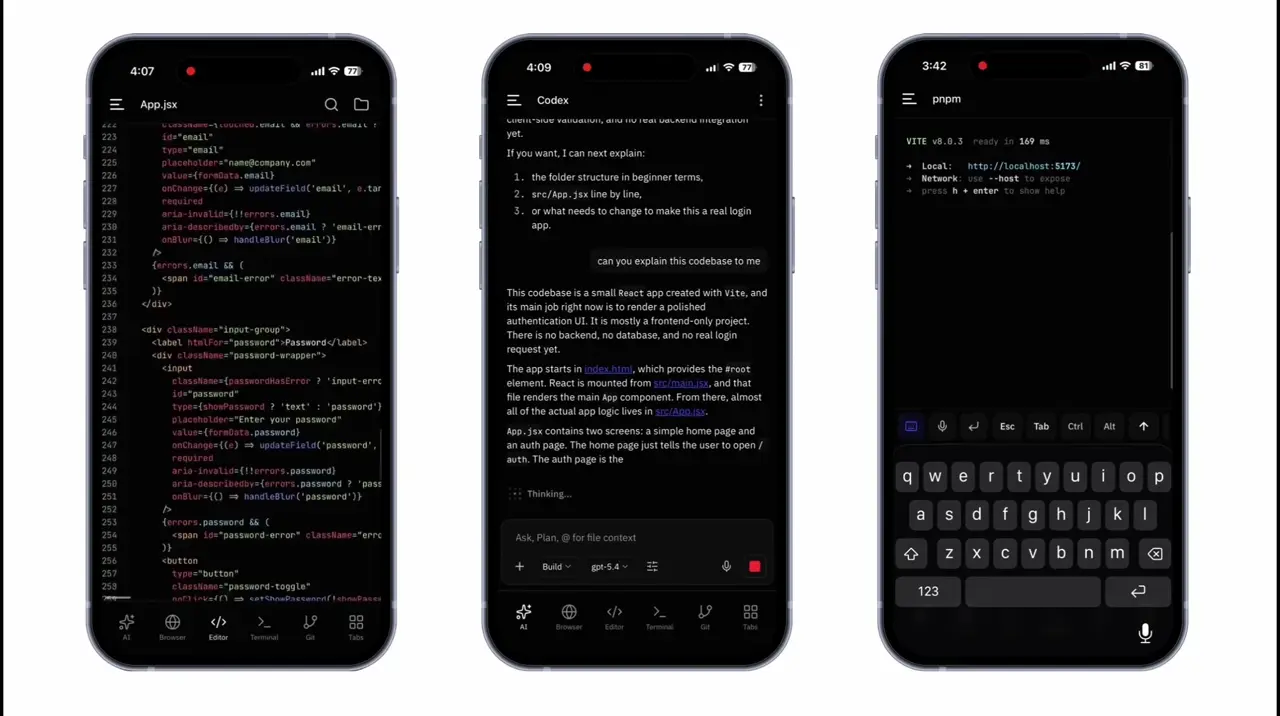
05 / GIT
See changed files, review the diff, stage your work, and commit or push from your phone. Stay in control of what goes into the repository.
Review before you commit.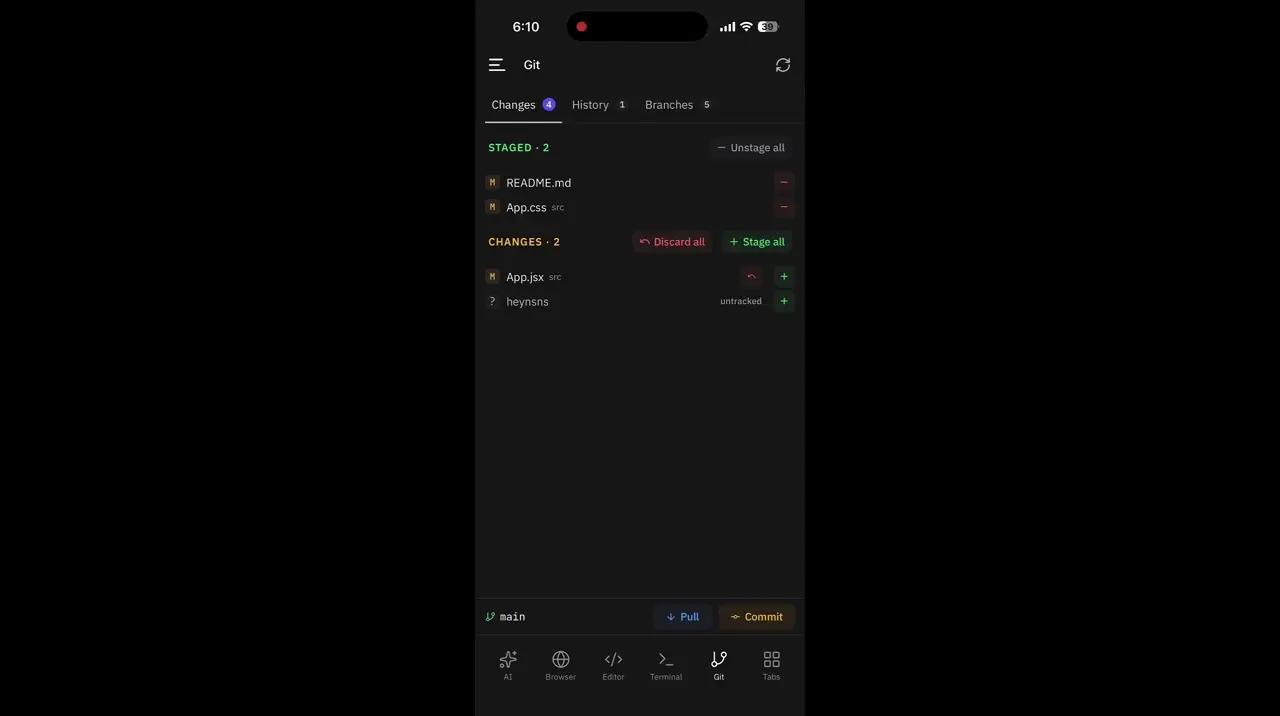
THE LITTLE THINGS, TOO
Browse, create, rename, and organise the files in your project.
See what’s running on your laptop and manage its processes.
Send HTTP requests and inspect responses from your mobile workspace.
Find open ports and the processes using them.
Encode, decode, format, and inspect text without leaving the app.
Check CPU, memory, and disk usage while your project is running.
SMALL PAYMENTS. USEFUL WORK.
Workspace controls are free. Agent access uses x402 payments in USDC on Algorand MainNet.
THE WORKSPACE
Pair and explore your project.
ONE-HOUR AGENT SESSION
One payment. One hour of access.
SEVEN-DAY DEVELOPER PASS
For returning developers.
Session access does not include unlimited model usage. Your agent provider’s subscription or API charges remain separate. You don’t pay HelixBox again for each prompt inside an active session.
YOUR CODE STAYS WITH YOU
HelixBox gives your phone access to that workspace. It doesn’t move your files into a separate cloud development environment.
BEFORE YOU START

Yes. HelixBox connects to the workspace running on your laptop. Keep the laptop awake, the CLI running, and the internet connection available.
Pairing and basic workspace controls are free. Paid sessions unlock agent access for a defined period: $0.25 USDC for one hour or $2 USDC for seven days with fair-use limits.
Codex, OpenCode, Claude Code, and Hermes are supported. Install and authenticate their CLIs on the paired laptop. Availability in the app comes from that laptop’s reported CLI status.
No. The payment covers HelixBox agent-session access. Your agent provider’s subscription and API billing are separate. The seven-day pass is subject to fair-use limits.
Start a session from the app, open checkout, and approve the USDC payment in Pera Wallet. HelixBox checks settlement on Algorand MainNet before activating your access.
Use the saved connection or Past Sessions when the laptop session is still valid. If the laptop session has ended, run the CLI and use the explicit new-session flow to pair again.
The current public build is an Android APK available through GitHub Releases. The source code and setup instructions are available on GitHub.

TAKE YOUR WORKSPACE WITH YOU
Download the Android app. Run the CLI. Scan the QR.
npx helixbox-cli